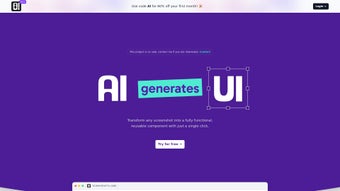

Download AIUI – Instant Code Generation from Screenshots for React & TailwindCSS
AIUI (available at AIUI.me) is a cloud‑based, AI‑driven tool that transforms visual mock‑ups into ready‑to‑use React.js components styled with TailwindCSS. By simply uploading a screenshot of a UI element—whether it’s a button, card, modal, or an entire page layout—designers, developers, freelancers, and small agencies can receive clean, reusable code in a matter of seconds. The platform focuses on speed, accuracy, and a frictionless hand‑off from design to development, helping teams launch products faster while dramatically reducing manual coding errors.
AIUI’s core strength lies in its ability to interpret layout hierarchy, detect interactive elements, and map them to semantic JSX structures with appropriate Tailwind utility classes. While the engine excels with straightforward, component‑level screenshots, it also offers a live customization panel that lets users fine‑tune colors, spacing, border radius, and component naming before downloading the final files. Whether you’re a solo freelancer looking to accelerate client deliverables or an agency seeking a scalable solution for repetitive UI work, AIUI provides a secure, free‑to‑try experience that integrates seamlessly into modern web development pipelines.
The service runs entirely in the browser, meaning there are no heavy installations, and because all processing occurs on encrypted servers, your design assets remain private and are automatically deleted after each session. With a generous free tier and affordable premium upgrades for batch processing and priority AI models, AIUI positions itself as an essential addition to any developer’s toolbox, bridging the gap between design inspiration and production‑ready code.
Key Features, How AIUI Works, and Installation Guide
- Instant Screenshot to Code Conversion: Upload PNG, JPEG, or WebP files and receive a full React component with TailwindCSS utilities in seconds.
- React‑Focused Output: Generates functional JSX, including props, state hooks, and default export statements ready for immediate integration.
- TailwindCSS Styling: Applies utility‑first classes, preserving layout fidelity while keeping CSS bundles minimal.
- Live Customization Panel: Adjust colors, spacing, border radius, and component size directly in the browser before downloading.
- Version History & Export Options: Save multiple iterations, export as .tsx/.jsx files, or copy to clipboard for quick pasting.
- Secure Cloud Processing: All image data is processed over HTTPS and deleted after the session, ensuring privacy for client assets.
- Free Tier & Affordable Upgrades: Unlimited basic conversions per month; premium plans unlock batch uploads and priority AI models.
AIUI’s workflow is intentionally simple yet powerful. After creating an account, users drag‑and‑drop a screenshot onto the main canvas. The AI model, trained on thousands of UI patterns, parses the layout hierarchy, identifies interactive elements such as buttons and input fields, and maps them to React components.
The generated code appears in a side panel where developers can toggle Tailwind utilities, rename components, or add custom props. A single click copies the code or triggers a direct download. For teams that rely on automated pipelines, AIUI also offers a RESTful API, allowing CI/CD systems to generate UI snippets on the fly and commit them to repositories without manual intervention.
Installation & First‑Time Use
- Create an Account: Visit AIUI.me/signup and register using email, Google, or GitHub. Complete email verification to unlock the dashboard.
- Upload Your Screenshot: Click “New Conversion,” then drag your UI screenshot into the drop zone. Supported formats are PNG, JPEG, and WebP up to 5 MB.
- Review AI Suggestions: The AI presents a preview of the generated React component alongside Tailwind class listings. Use the sidebar to edit colors, margins, or replace generic icons with your own SVG assets.
- Export or Copy: Click “Download Code” to receive a .tsx file (or .jsx for JavaScript projects) or hit “Copy to Clipboard” for immediate pasting into your IDE.
- Integrate Into Your Project: Import the component into your React app, ensure TailwindCSS is configured (postcss.config.js), and run
npm run devoryarn startto see the component in action.
AIUI runs on any modern browser—Chrome, Edge, Firefox, Safari—on Windows, macOS, Linux, as well as mobile browsers on Android and iOS. Because the processing occurs server‑side, there are no OS‑specific dependencies, making the tool universally accessible for remote teams and freelancers on the go.
Pros, Cons, and Frequently Asked Questions
Pros
- Lightning‑fast conversion saves hours of manual coding.
- Generates clean, production‑ready JSX with Tailwind utilities.
- No local installation; works on any device with a web browser.
- Customization panel lets you fine‑tune output without leaving the platform.
- Free tier sufficient for occasional use; premium plans are competitively priced.
Cons
- Complex, highly interactive prototypes may require manual adjustments.
- Reliance on internet connectivity; offline usage is not possible.
- Current AI model focuses on React/Tailwind; other frameworks need manual conversion.
- Limited support for design systems that use custom CSS‑in‑JS libraries.
FAQ
How secure is my screenshot data?
All uploads are transmitted over HTTPS and processed in a sandboxed environment. AIUI automatically deletes the image and generated code after the session ends, ensuring that confidential design assets are never stored long‑term.
Can AIUI generate code for frameworks other than React?
At present AIUI focuses on React with TailwindCSS because these technologies dominate modern web UI development. However, exported JSX can be manually adapted to Vue, Svelte, or plain HTML with minimal effort.
Is there a limit to how many screenshots I can convert each month?
The free tier allows up to 50 conversions per month. Premium plans start at $12/month and provide unlimited conversions, batch processing, and priority AI resources.
Do I need a TailwindCSS configuration file in my project?
Yes, to render the generated utility classes correctly, your project must have TailwindCSS set up. AIUI includes a starter tailwind.config.js that you can copy into your repository.
Can I integrate AIUI into my CI/CD pipeline?
Absolutely. AIUI provides a RESTful API with authentication tokens. You can script batch uploads of design assets, retrieve the generated code, and automatically commit it to your Git repository as part of your build process.
Final Verdict & Call to Action
AIUI stands out as a highly practical bridge between visual design and functional code. Its instant conversion engine dramatically reduces the repetitive work that often bogs down small teams and freelance developers. While the tool currently excels with clean, component‑level screenshots, it still requires a human eye for intricate interactions and bespoke design systems. Nonetheless, the speed, ease of use, and generous free tier make AIUI an essential addition to any modern web development toolkit. For anyone looking to accelerate project timelines, improve code consistency, and free up creative bandwidth, AIUI is a smart, secure, and affordable investment.
Start your free account today and generate your first React component in seconds!



.png)



